BeatScope
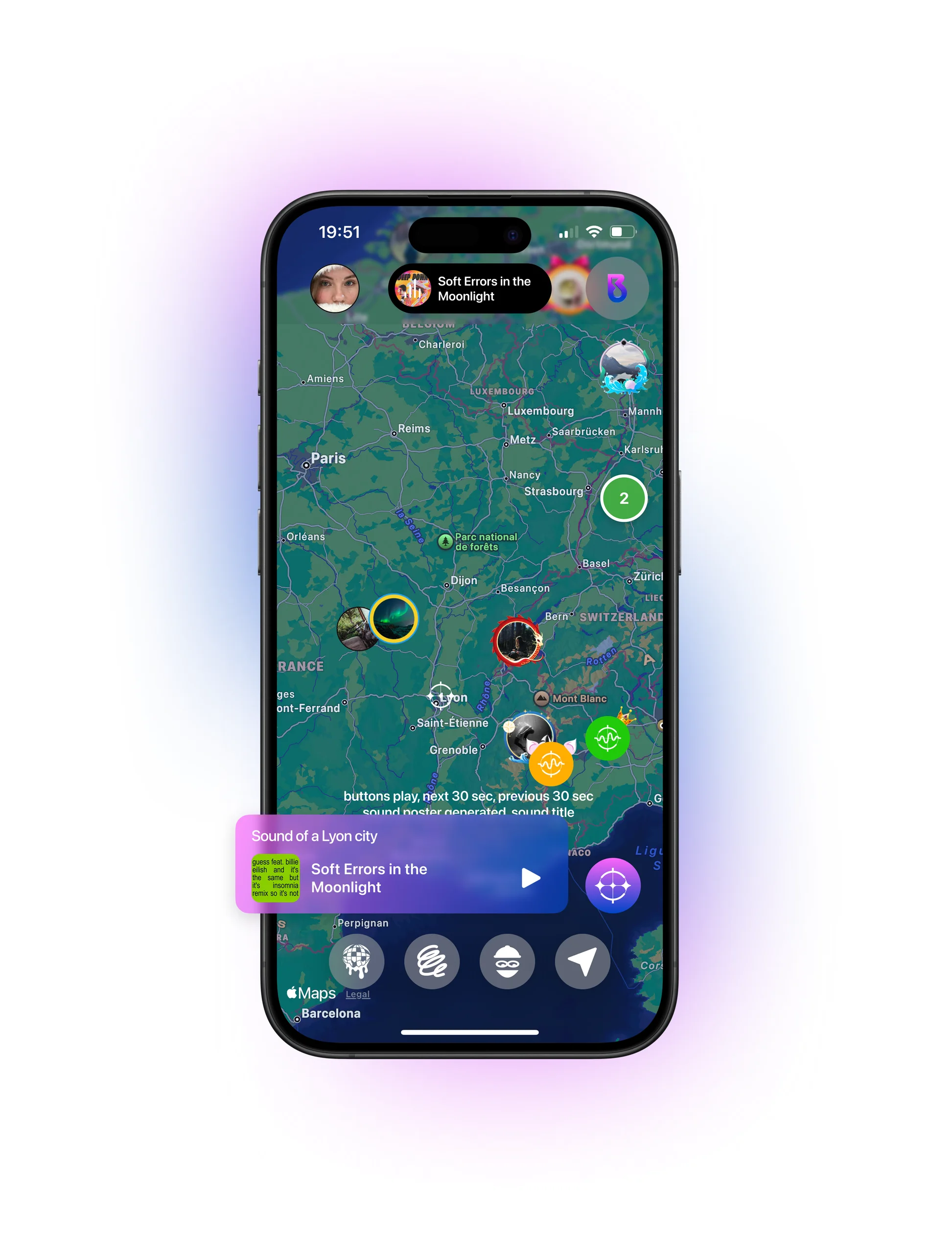
A social music map. See what people around you are listening to, find events nearby and make your profile your own.

Overview
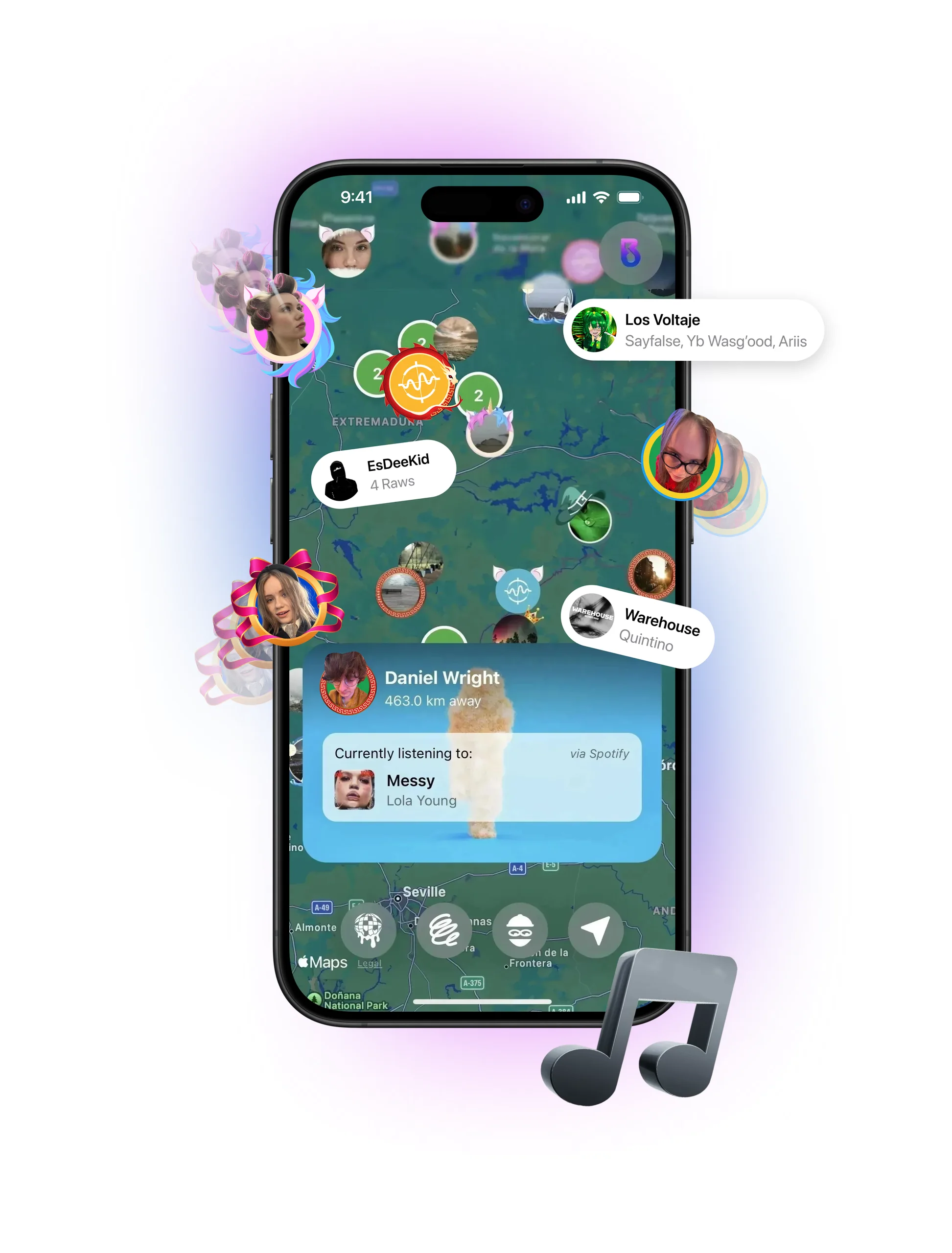
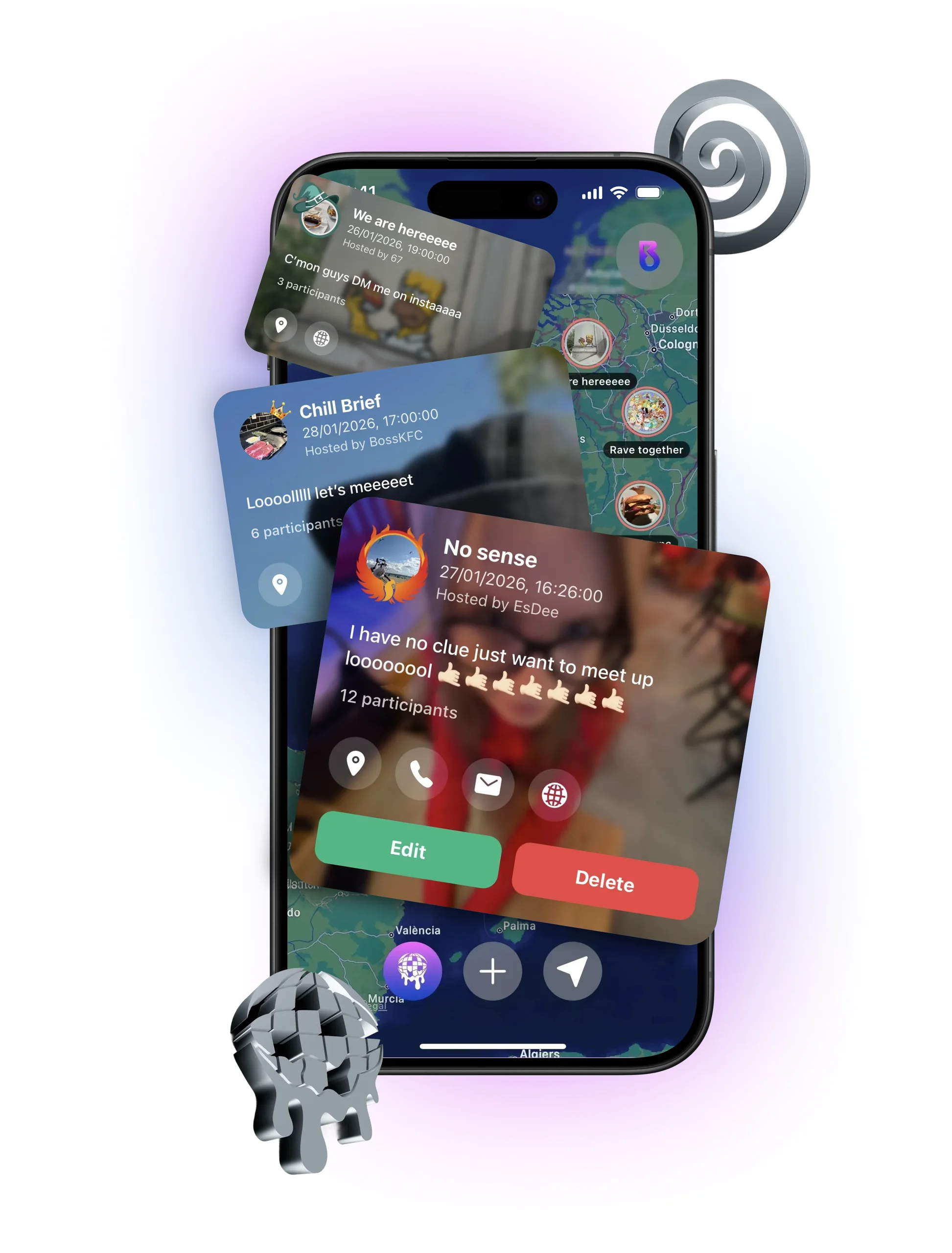
BeatScope is a social music and event discovery app, live on the App Store. Instead of moving between event listings, social networks and messaging apps, people open one map. It shows who nearby is listening to what, which events are on, and how to reach the people and hosts behind them.
My role
BeatScope is my own product. I founded it and lead it: I defined what it does, designed the experience and the interface, planned how the product and its data are structured, and worked directly with the developer from the first screens to the App Store release.
The problem
Finding a party, a meetup or a concert means checking several apps. None of them show the live music context of a place: what the people around you are actually playing. BeatScope puts both on one map.
Design approach
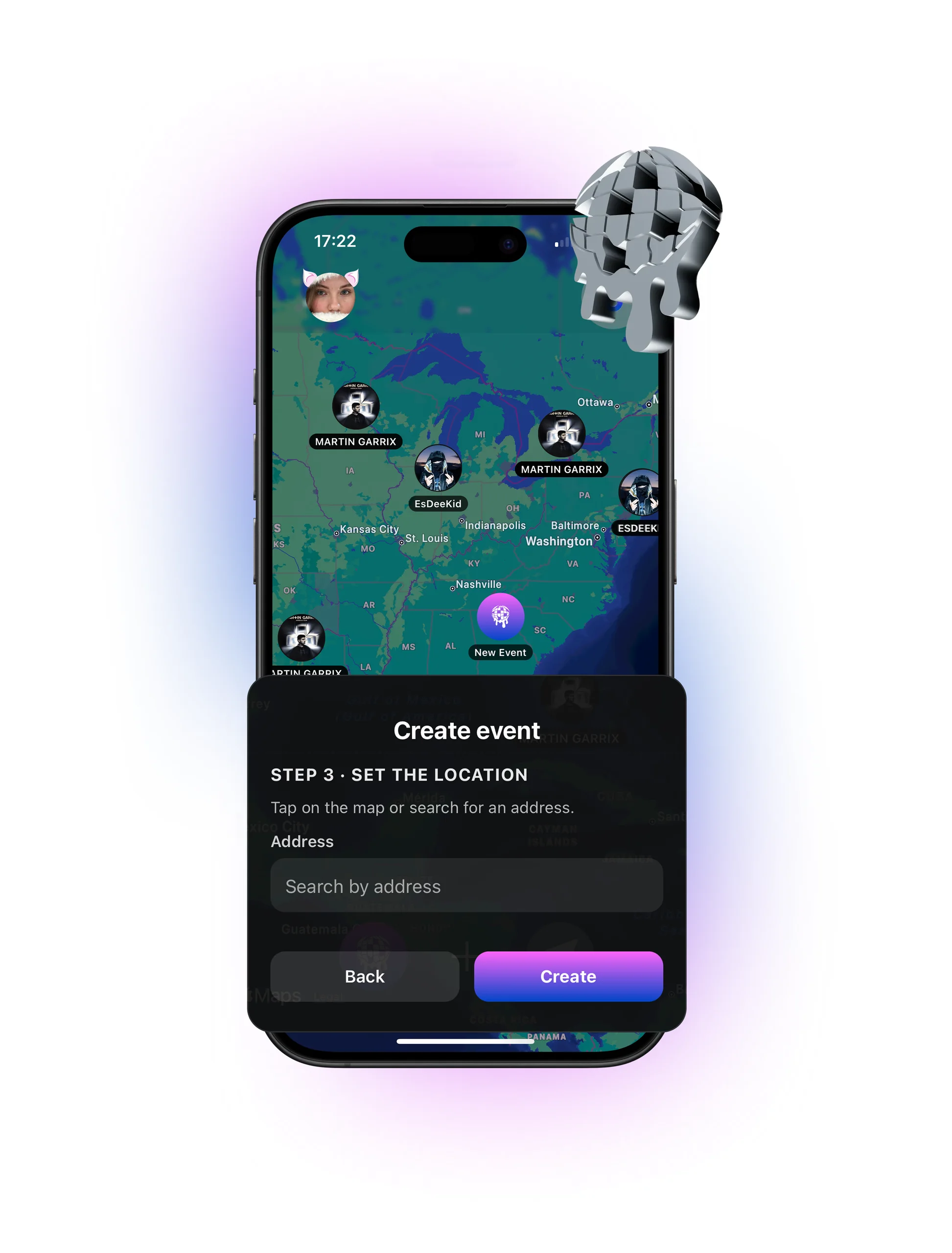
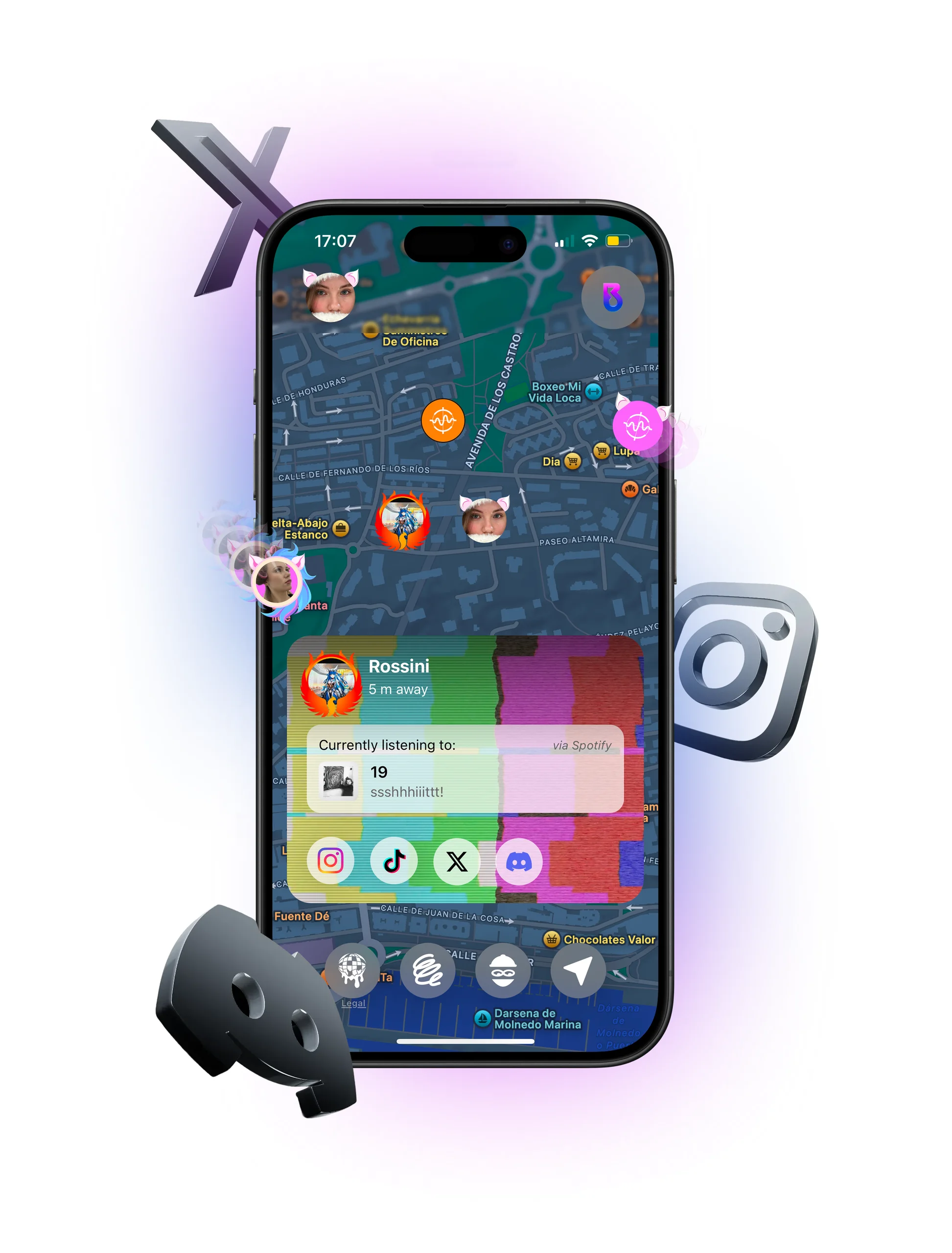
- The map is the home screen. People and events are two layers of the same map, switched with one control, so discovery never leaves the place you are looking at.
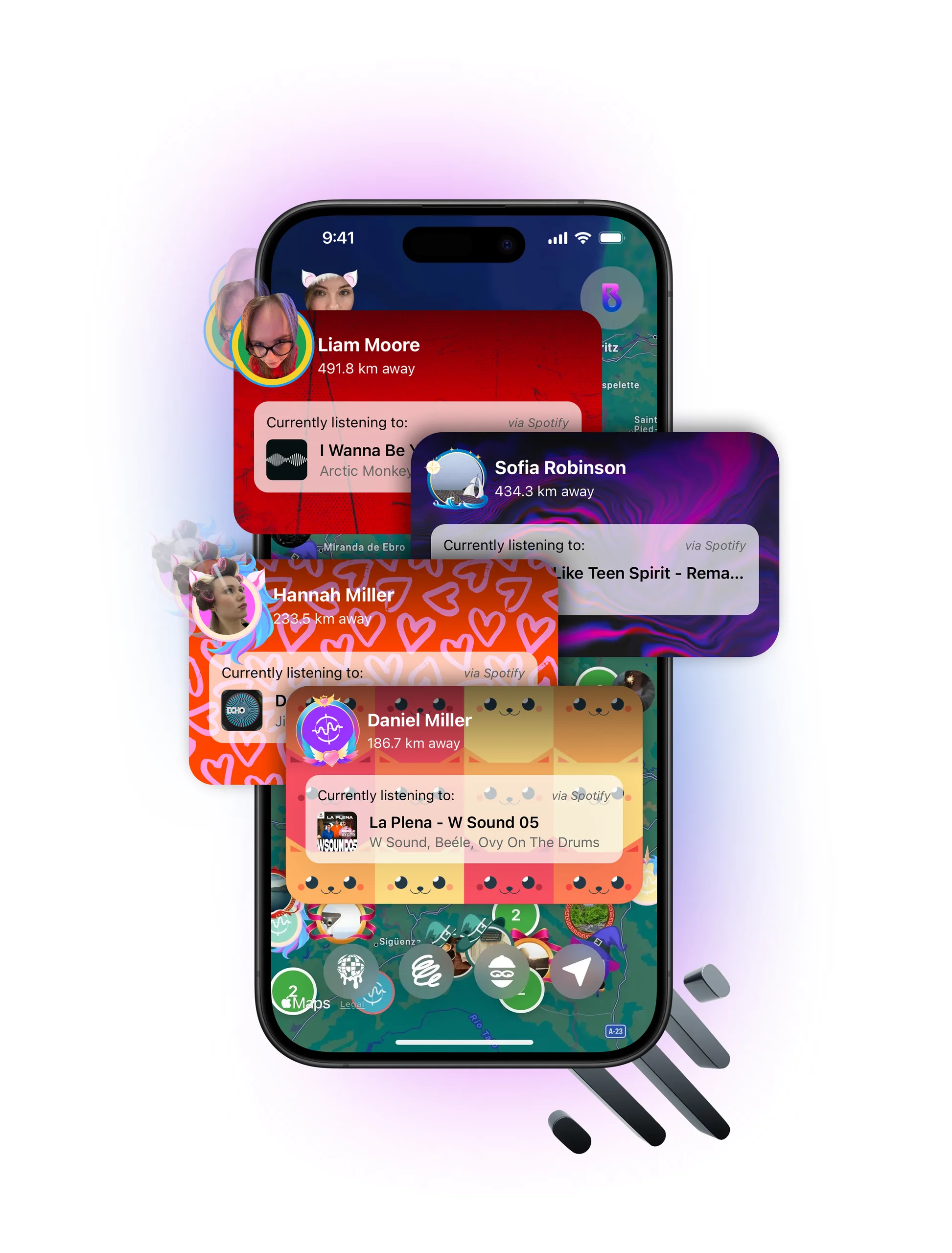
- Sign-in is music-native. Logging in with Spotify or Apple Music is one tap, and it also gives the app the “currently listening” context that every card shows.
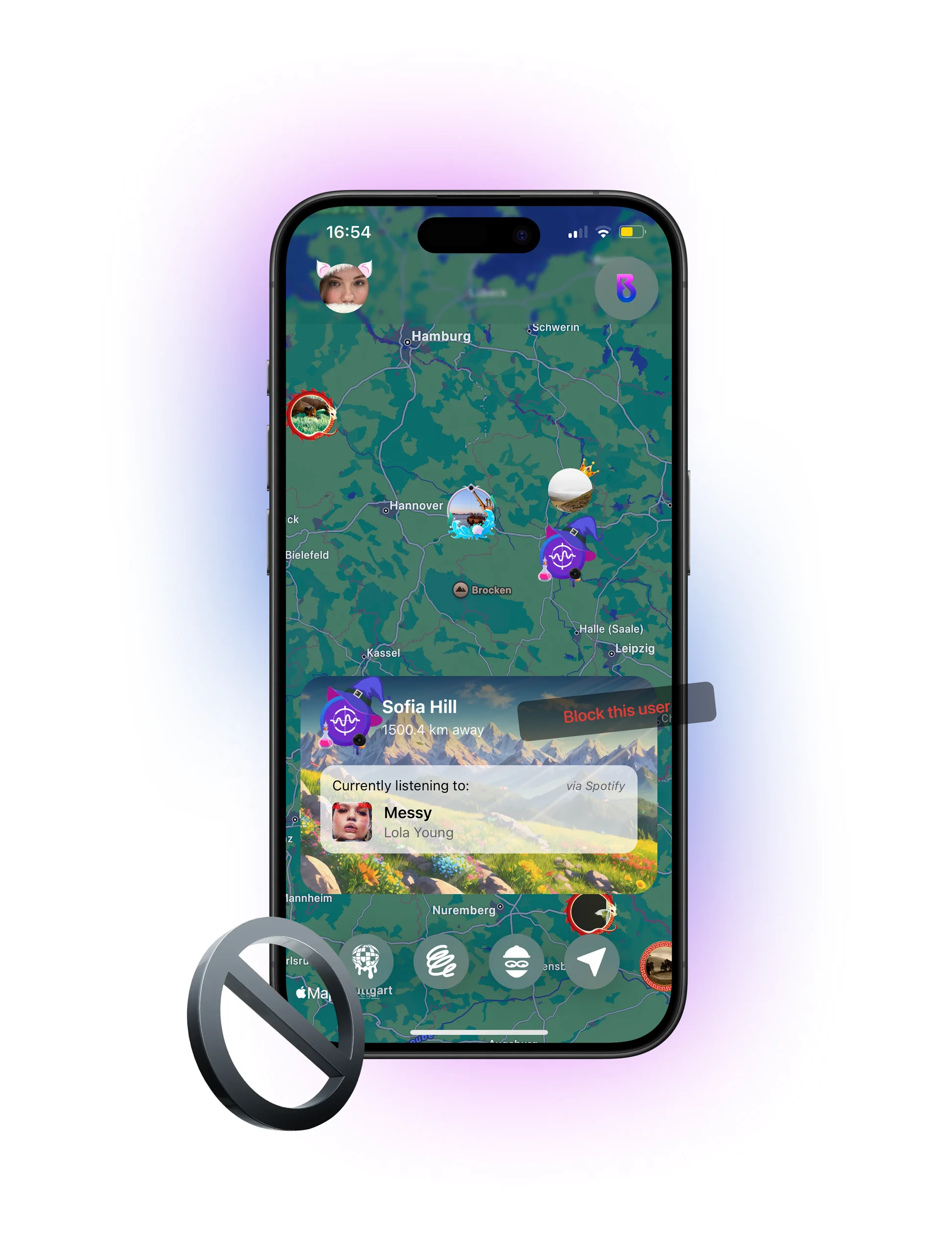
- Cards instead of pages. A person or an event opens as a card over the map. Actions sit on the card itself: directions, call, email, website, social links, edit or delete.
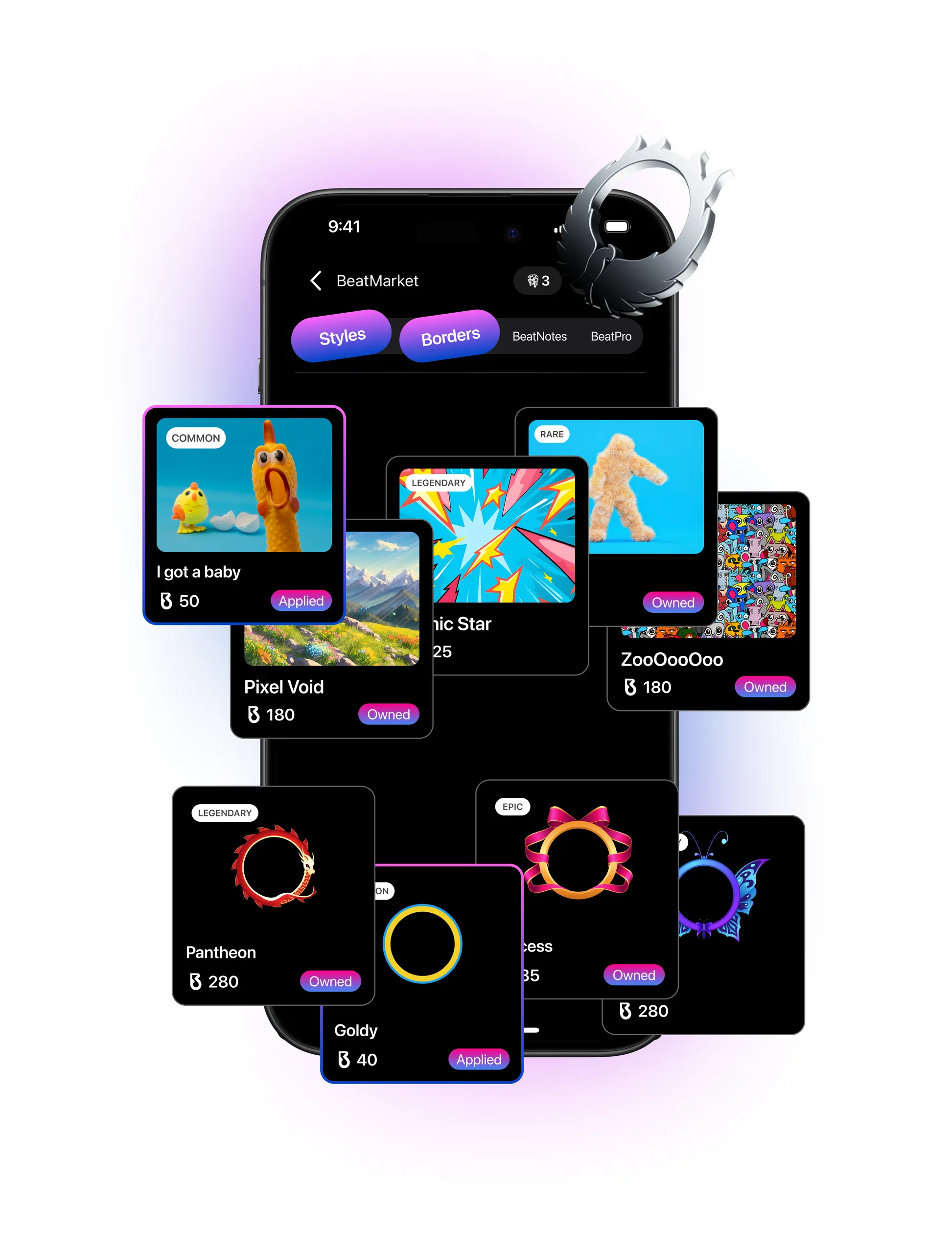
- Expression with an economy. BeatMarket sells profile styles and borders for an in-app currency (BeatNotes), with rarity labels from common to legendary, so profiles look different from each other.
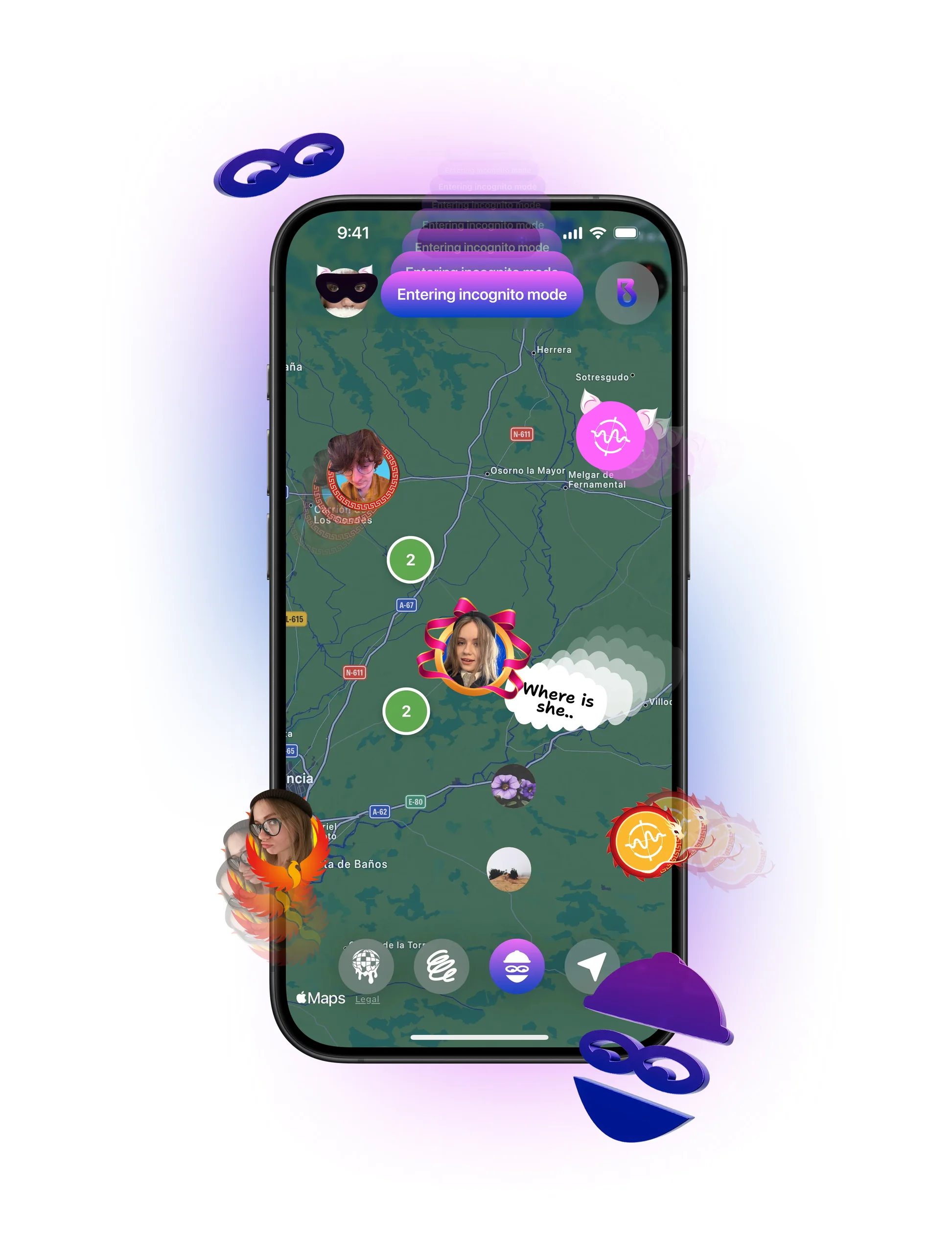
- Safety and privacy on the map. Blocking is part of the person card, and an incognito mode hides you from the map while you explore.
- A visual language of its own. A dark map, saturated profile art, and 3D chrome objects in the product presentation.
Product structure
How the product is organised, as it appears in the shipped interface.
Sign in
Spotify or Apple Music
- Music account connected
- Profile created
Map
the home screen
- People layer
- Events layer
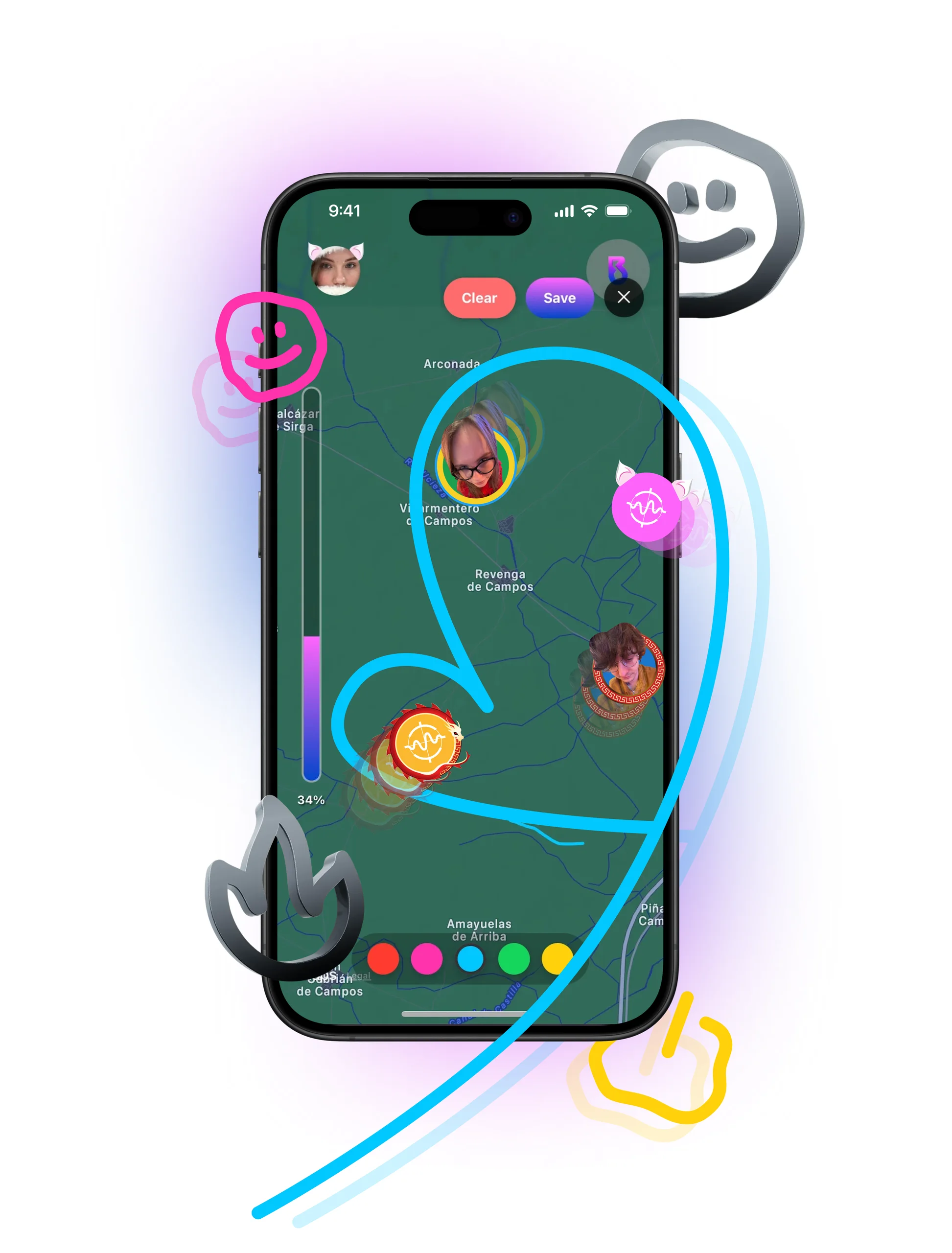
- Draw on the map
- Incognito mode
- Sound of the City (in progress)
Person card
- Now playing
- Social links
- Block
Event card
- Details and host
- Participants
- Contact
- Create event
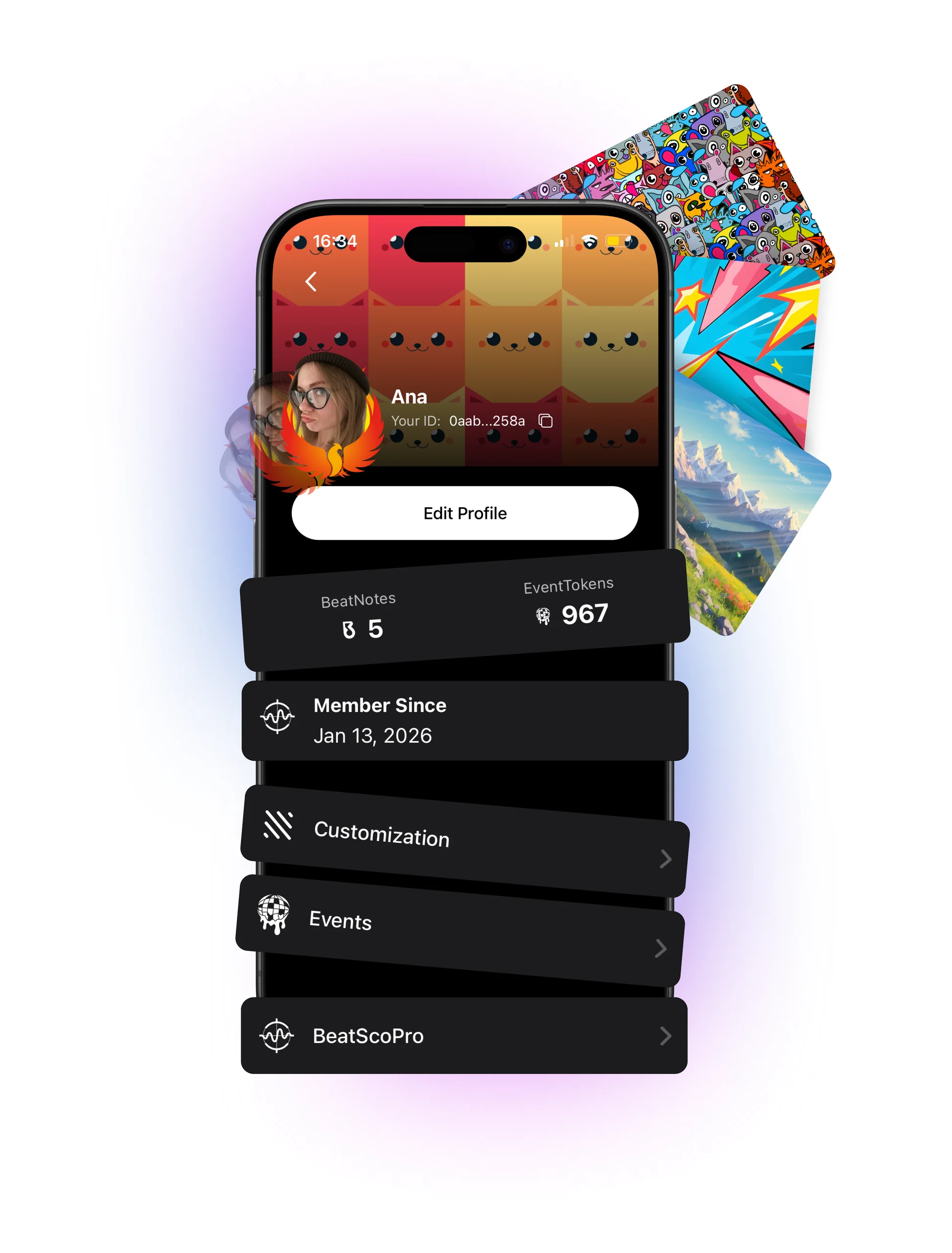
Profile
- Edit profile
- Customisation
- My events
- BeatPro
BeatMarket
- Styles
- Borders
- BeatNotes
- BeatPro
Data structure
The main entities and their fields, read from what each screen shows.
User
- name and avatar
- profile style and border
- BeatNotes balance
- event tokens
- member since
- social links
- now playing (Spotify / Apple Music)
- location
- visibility
Event
- title
- description
- date and time
- host
- participants
- location
- phone / email / website
Market item
- name
- type (style, border, BeatNotes, BeatPro)
- rarity
- price in BeatNotes
- owned / applied
Map drawing
- strokes
- colour
- place
- author
Block
- user
- blocked user
Working with the developer
I worked with the developer throughout: we agreed together how each card, layer and flow behaves, what data every screen needs and where it comes from, and the order features were built in. The map and events came first, then Spotify and Apple Music integration, user-created events, drawing on the map and the BeatMarket economy, before the iOS release. Sound of the City, an Android version and a move to AWS are planned next.
Key responsibilities
- Product design: the product’s structure, features and overall experience.
- UX/UI design: every screen and interaction, from sign-in to the market.
- Project leadership: leading the project, planning and coordinating the work with the developer.
- Information architecture: how the map, cards, profile and market relate to each other.
- Database and data structure: organising users, events, market items and map content into tables and relationships.
- Developer collaboration: discussing design decisions, functionality and implementation directly with the developer.
Screens